NEW AIRIS · Ask your Odoo and it answers on WhatsApp, by text or voice See how it works →
Odoo migration

Odoo migration to version 20, without losing data

We migrate Odoo Community and Enterprise from version 10 up to Odoo 20, with your data, documents and custom modules. From 1 week, with 3 months of support.

Get a free migration quote
Odoo Gold PartnerSame-day quote3 months of support
Why migrate

Why upgrade Odoo now?

Odoo releases a new version every year and only keeps the three most recent up to date: today, Odoo 18, 19 and 20.

What staying on Odoo 17 or earlier costs

Odoo adds 25% to the annual license of Odoo Enterprise on Odoo.sh or on-premise when your version is more than three versions behind.

10300
No modules50,000
Staying 3 years$73,800
Migrating to Odoo 20, once$17,900

With 20 users on the Custom plan ($410 MXN per user per month, billed annually), the extra fee is $24,600 MXN per year. Prices + VAT.

  • Fixes and security

    Odoo only fixes recent versions; on Community, an old version gets no security patches.

  • Invoicing up to date with the SAT

    Changes to Mexican e-invoicing reach supported versions. See our CFDI modules.

  • New features

    Improvements in every area, without starting over or reimplementing.

  • Every year you wait, the work grows

    Each version you skip piles up changes to adapt. Migrating on time is faster and less risky.

  • More apps and modules available

    Odoo Apps and the OCA publish for recent versions; on an old one, options keep shrinking.

  • Built-in artificial intelligence

    Odoo 19 and 20 bring AI features that earlier versions don't have.

Timing

How long does an Odoo migration take?

It depends on whether your Odoo has custom modules. We give you the delivery date before we start.

Without custom modules1 week

Standard Odoo, official apps only.

With custom modules15 days to 1 month

Depending on how many modules and lines of code you have.

Cost

How much does an Odoo migration cost?

Flat rate, no hour packages. Prices in Mexican pesos plus VAT; we give you the exact total before we start.

Odoo Community$27,900

Database and files up to 1 GB.
$4,200 for each additional GB.

Odoo Enterprise$17,900

Database and files up to 1 GB.
$3,200 for each additional GB.

Custom modules$3 per line

Your own or third-party. Python, XML and JavaScript only, excluding blank lines and comments.

Estimate your migration

1. Odoo edition
1 GB30+ GB
No modules50,000

Not sure? Leave it at 0: we measure it when we review your instance.

Estimate $27,900 + VAT

    This is an estimate. For an exact quote we need access to your instance and we deliver it the same day.

    Book a call with this estimate

    With Odoo Enterprise I can migrate “for free”, so what am I paying for?

    What Odoo does

    Converts your standard database to the new version.

    Everything else, which we do
    1. Back up your database and files, and send it to Odoo's upgrade platform or run our own scripts on a server if the database is very large
    2. Migrate your custom modules to the new version
    3. Test your processes, reports and invoicing, and fix whatever fails
    4. Set up a test instance with your upgraded database so you can test it and approve it before the final migration
    5. Prepare the new server, or the new branch on Odoo.sh
    6. Go live on the agreed date and decommission the previous version
    7. Fix any migration error for 3 months

    Doing it yourself requires an IT person with experience in servers and Odoo. If your Odoo is on Odoo Online, Odoo does the whole process at no cost and you don't need to hire us.

    ✓ Includes a backup before touching anything, database and module migration, test instance, new server or Odoo.sh branch, go-live and 3 months of support.

    ✕ Does not include new features or changes to your modules (quoted separately) or Odoo Enterprise licenses (paid to Odoo).

    Our process

    The Odoo migration process

    Four steps, with a test database so you can validate everything before the final migration.

    1. 1

      Free quote

      We review your Odoo and your code, and give you a total price and date.

    2. 2

      We migrate code and data

      Custom modules, your own or third-party, database and files.

    3. 3

      Test database

      We hand you your migrated Odoo to review and give us the green light.

    4. 4

      Final migration

      On the date we agree, with 3 months of support for any error.

    No data loss

    Odoo migration with no data loss

    We've migrated databases across many versions, both Community and Enterprise. We migrate from Odoo v10 to the latest version of Odoo.

    Get the new Odoo features on your existing database. You don't have to start over every time you change versions.

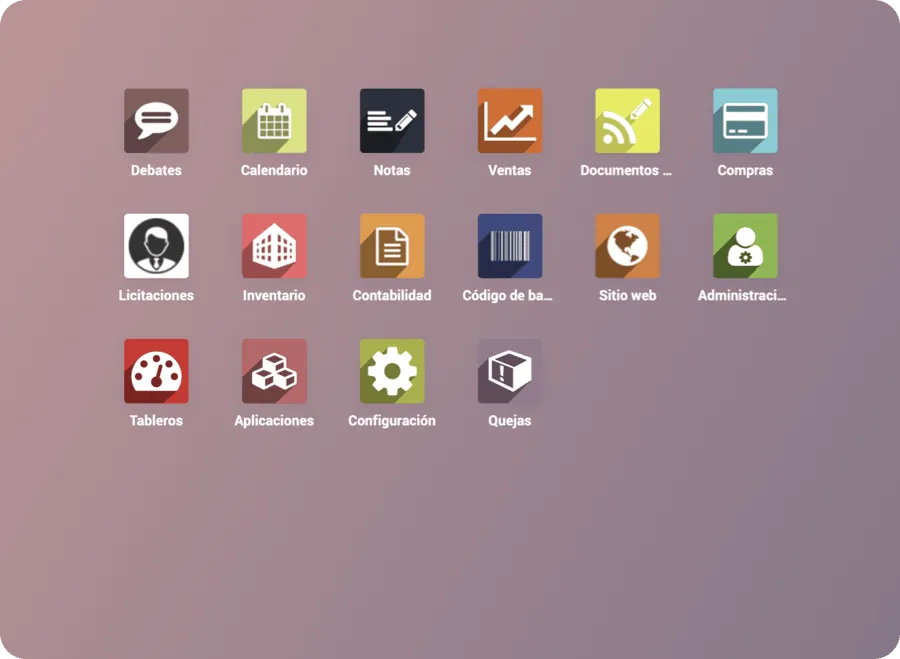
    Before

    Odoo 10
    Odoo 10 before the migration

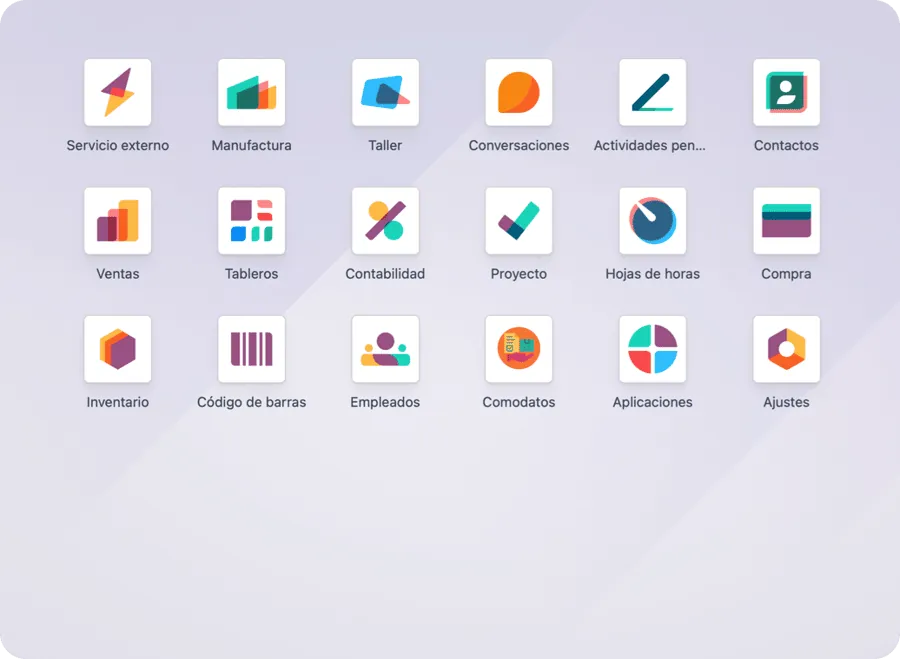
    After

    Odoo 20
    Odoo migrated to the latest version
    Clients

    Companies that migrated their Odoo with us

    “…we have managed to integrate all our processes, from sales and inventory to accounting.”

    Patrick Whitehouse · Operations manager, Comercial Whitehouse · Client since Odoo 14

    See all our clients →

    FAQ

    Frequently asked questions about migrating Odoo

    Do I lose information when migrating Odoo?
    No. We migrate your complete database, your documents and attachments. Before the final migration we give you a test database on the new version so you can check that everything is correct.
    How long does the Odoo migration take?
    Without custom modules, about 1 week. With custom modules, from 15 days to 1 month, depending on how many modules and lines of code you have.
    How much does an Odoo migration cost?
    On Odoo Community, $27,900 MXN + VAT for the database and files up to 1 GB, and $4,200 MXN + VAT for each additional GB. On Odoo Enterprise (Odoo.sh or on-premise), $17,900 MXN + VAT up to 1 GB and $3,200 MXN + VAT for each additional GB. Custom modules cost $3 MXN + VAT per line of code. The quote is free and we give you the total price before we start.
    How much does Odoo charge if I don't upgrade my version?
    If you have Odoo Enterprise on Odoo.sh or on-premise and your version is more than three versions behind, Odoo charges 25% extra on your annual license. With Odoo 20, that applies to Odoo 17 and earlier. Odoo Online doesn't pay this fee because it upgrades automatically.
    Is migrating the same as upgrading Odoo?
    Yes. Upgrading Odoo to a new version means migrating your database and custom modules to that version; that's why the terms are used interchangeably.
    Which Odoo versions do you migrate from?
    From Odoo 10 up to Odoo 20, both Community and Enterprise.
    What if my Odoo is on Odoo Online?
    Odoo upgrades Odoo Online databases at no cost as part of your license. Our service is for Odoo Community and for Odoo Enterprise on Odoo.sh or on-premise, where modules must be migrated, tested and deployed.
    Can I move from Odoo Community to Odoo Enterprise?
    Yes. We migrate your Community database to Enterprise keeping all your data. If you also want to improve your processes, see our Odoo implementation.
    Do you migrate modules developed by another partner?
    Yes. We migrate the custom modules you bought or had developed by third parties, at the same price of $3 MXN + VAT per line of code.
    What do you need to give a quote?
    Administrator access to your Odoo and access to wherever your code lives (Odoo.sh, GitHub or another server).
    Free quote

    Book a call to quote your migration

    We review your Odoo and give you a total price and delivery date. No commitment.

    • We review your version, your modules and the size of your database
    • We tell you what gets migrated and whether anything needs adjustments
    • We give you the total price and the delivery date

    Prefer to talk now? Message us on WhatsApp

    Choose a day and time

    Video call · Mexico City time

    Loading times…