NEW AIRIS · Ask your Odoo and it replies on WhatsApp, by text or voice See it →

Time clock and staff attendance tracking

Your presence counts, wherever you work.

With Idenua your staff clocks in from their phone —with Face ID, selfie and location— or on a fingerprint and facial time clock. You see it all in one dashboard, with reports and Excel export. And if you use Odoo, the clock-ins arrive on their own.

Annual plan · App $250 per 100 employees · Time clocks from $199 · VAT not included

Meets the 2027 law requirements
Phone appFace ID · selfie · GPS
ZKTeco time clocksfingerprint · face
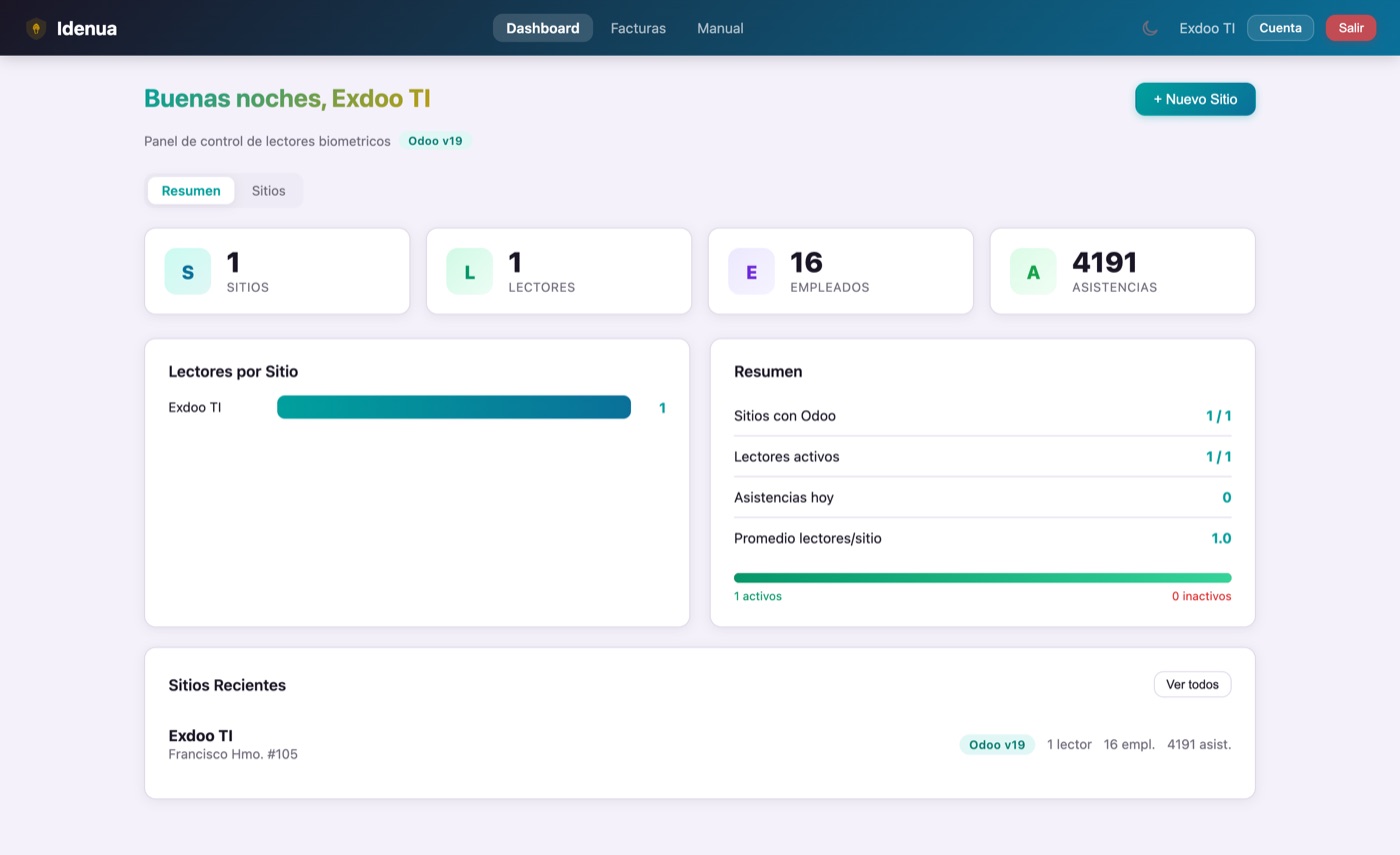
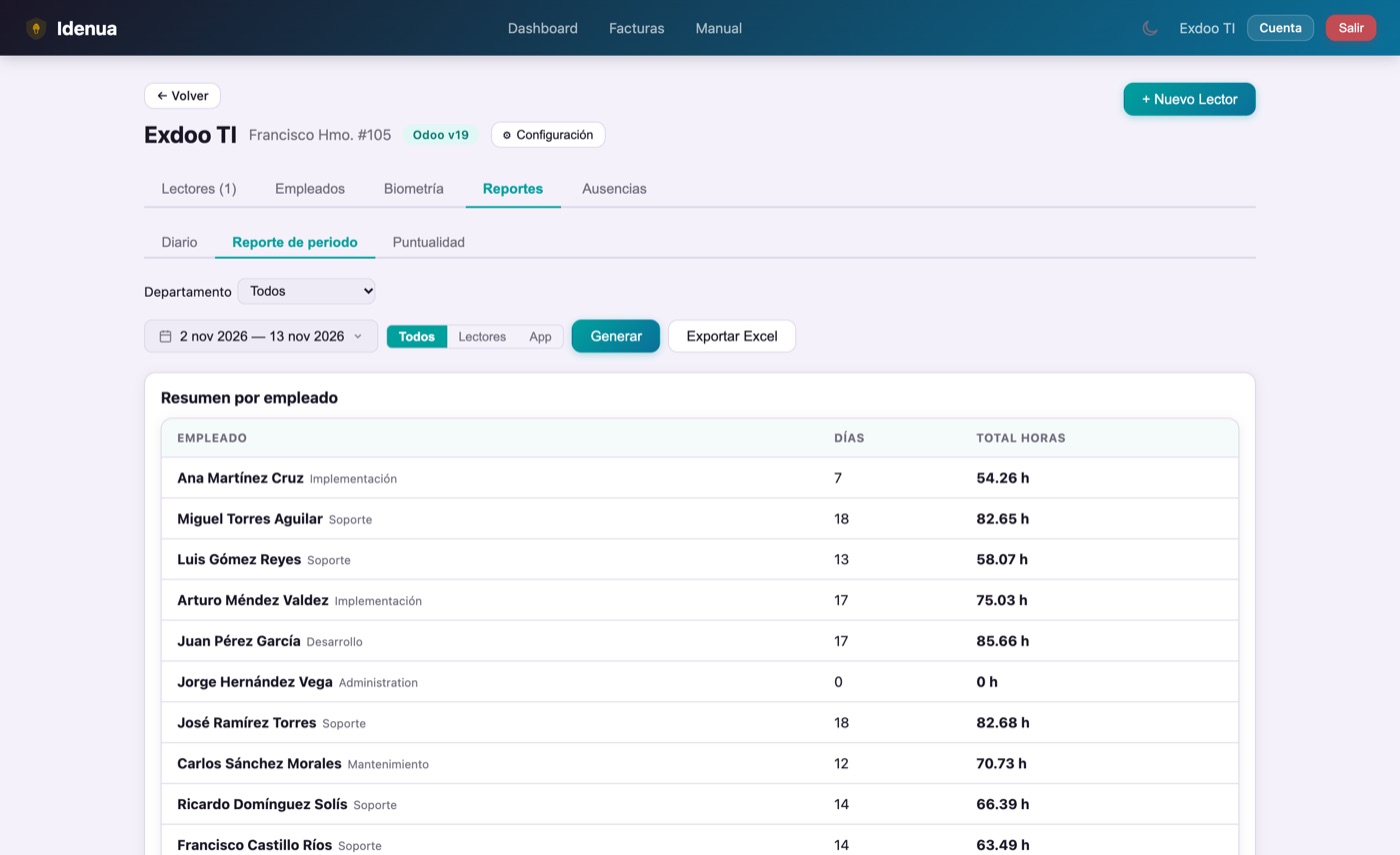
Reports and Excelin your dashboard
See pricing
Two ways to clock in

Choose the one that fits. Or both.

Not everyone works the same way: some come into the plant and others work from home or in the field. Idenua covers both cases with the same dashboard, the same report and the same payroll.

Idenua app icon

With the Idenua app

$250 + VAT per month per 100 employees

  • No hardware to buy. It installs on the employee's phone and that's it.
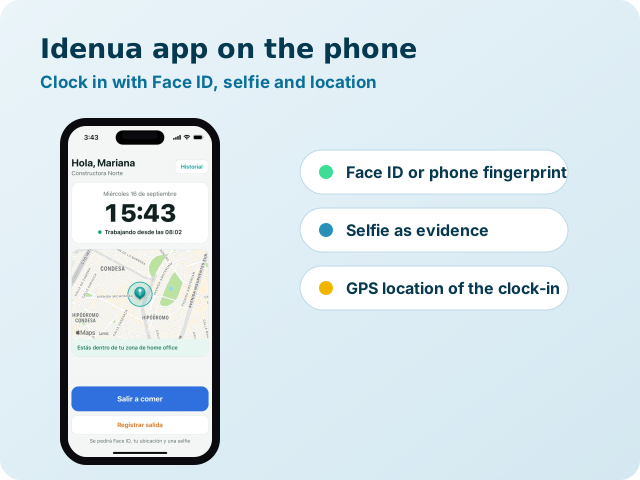
  • Face ID or the phone's fingerprint before each clock-in, with a selfie as evidence.
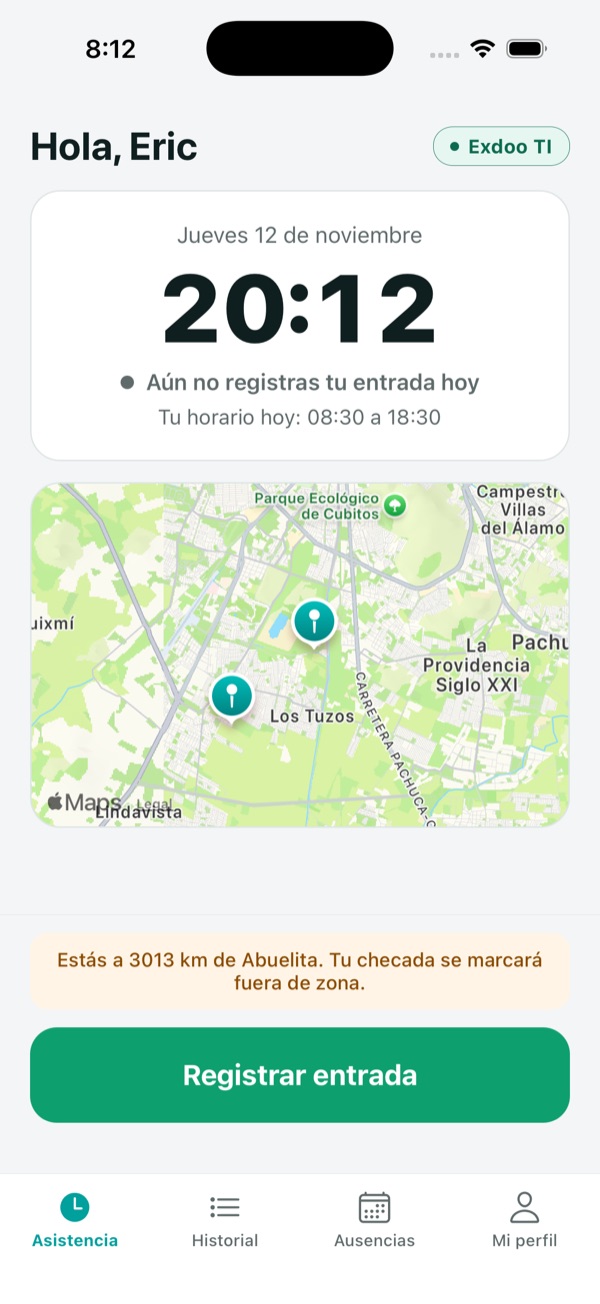
  • Location and geofences: you set the valid zones for each person.
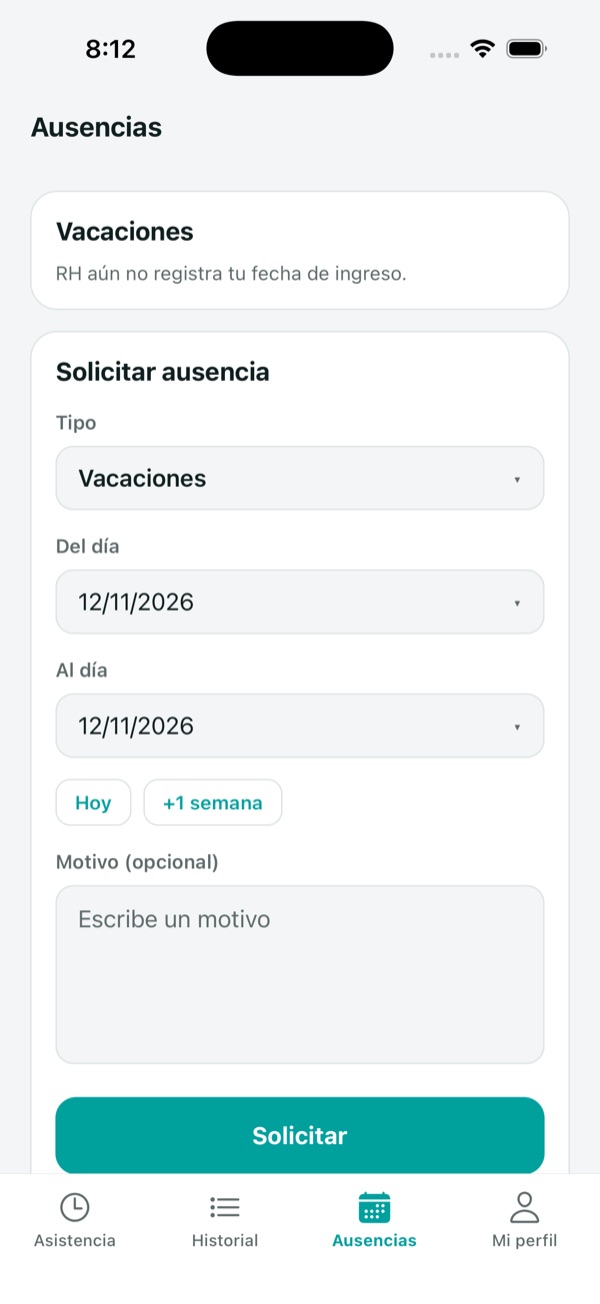
  • Clock-in, lunch and clock-out, with schedules and an alert if they run over.
  • Works with no signal: it saves the clock-in and sends it later.
See how the app works
ZKTeco time clock

With time clocks

$199 + VAT per month, up to 3 clocks

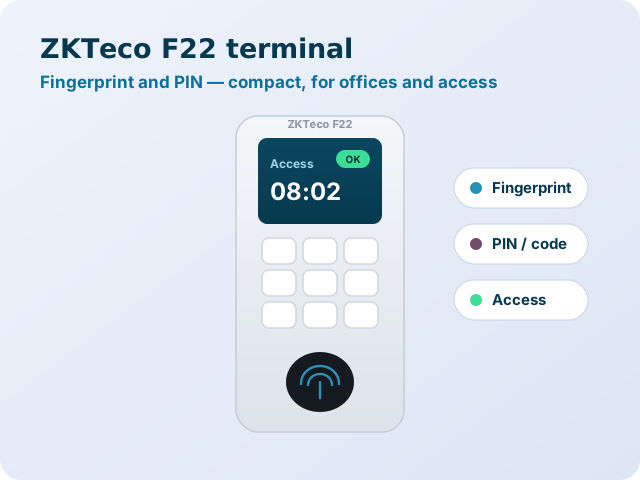
  • Fingerprint, face or card at the entrance of your plant, office or branch.
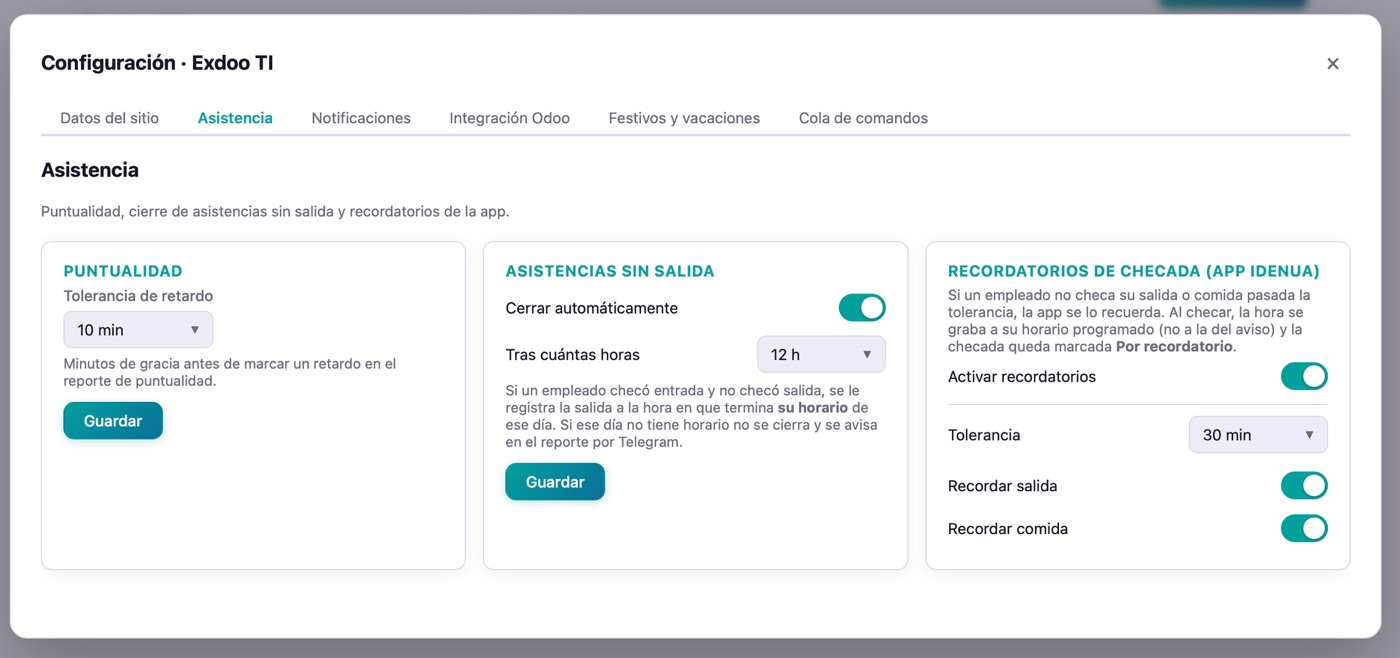
  • Works with ZKTeco readers you already own, over the ADMS protocol.
  • A fingerprint is enrolled once and replicates to every clock at the site.
  • If the internet drops, the clock saves and resends once it reconnects.
  • Extra clock: $49 + VAT per month.
See time clocks

Both? They add up in the same dashboard: an employee can clock in on the time clock when at the office and with the app when working from home.

The Idenua app

Whoever works from home clocks in too. And you know it was them.

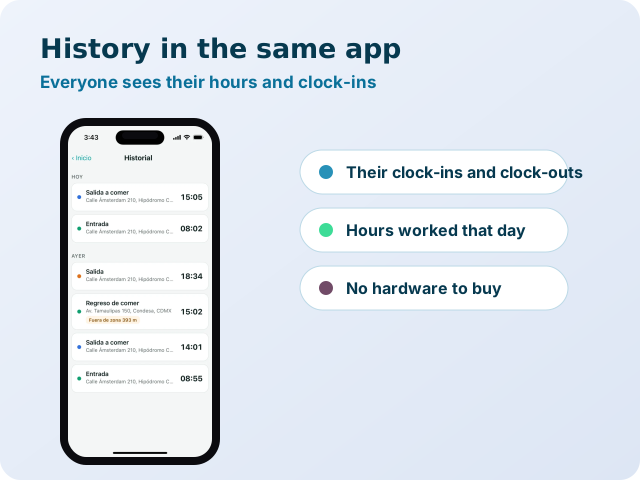
Your staff records clock-in, lunch and clock-out from their phone. Each clock-in confirms identity with Face ID or the phone's fingerprint, takes a selfie and saves the GPS location. For many companies it's all they need: no hardware to buy and employees in any city.

  • Face ID or fingerprint
  • Selfie on every clock-in
  • GPS and geofences

HR sees everything in one dashboard

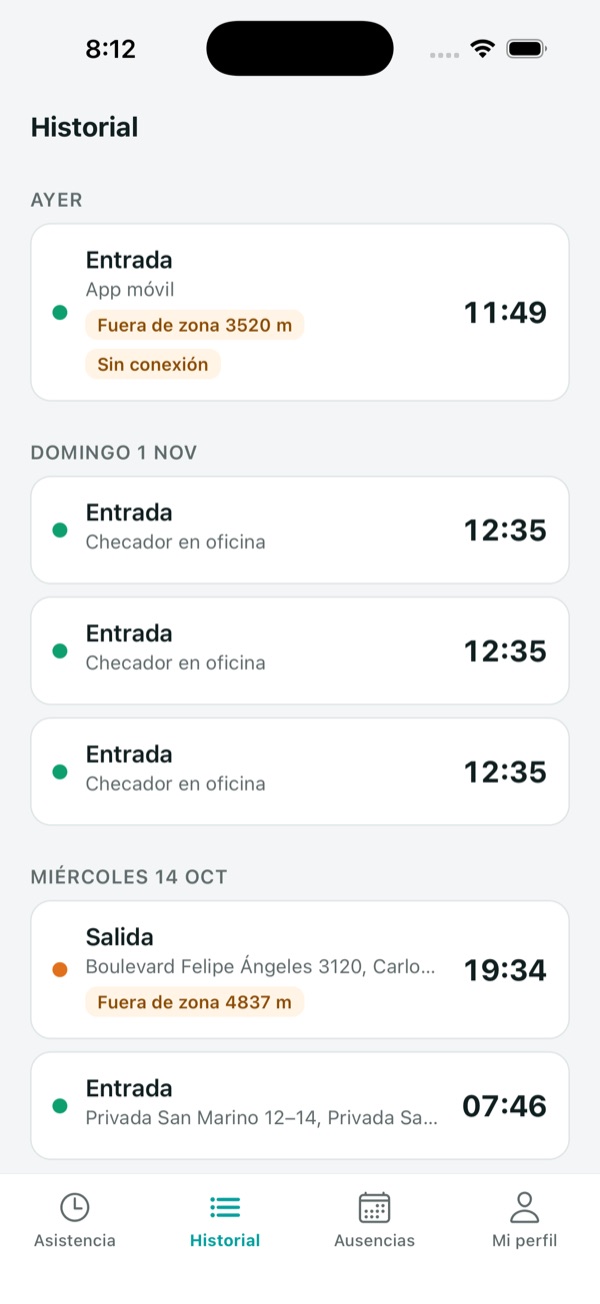
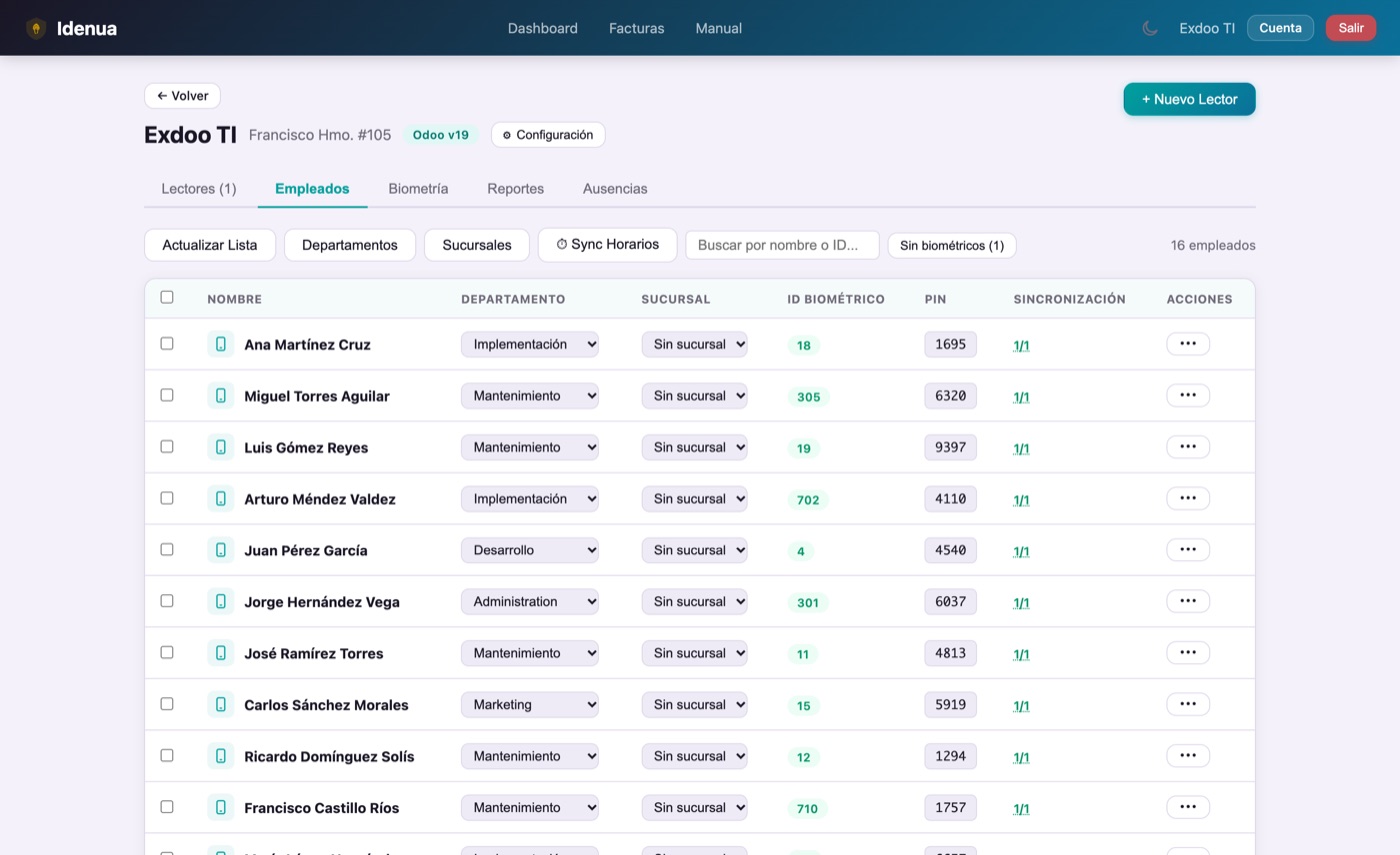
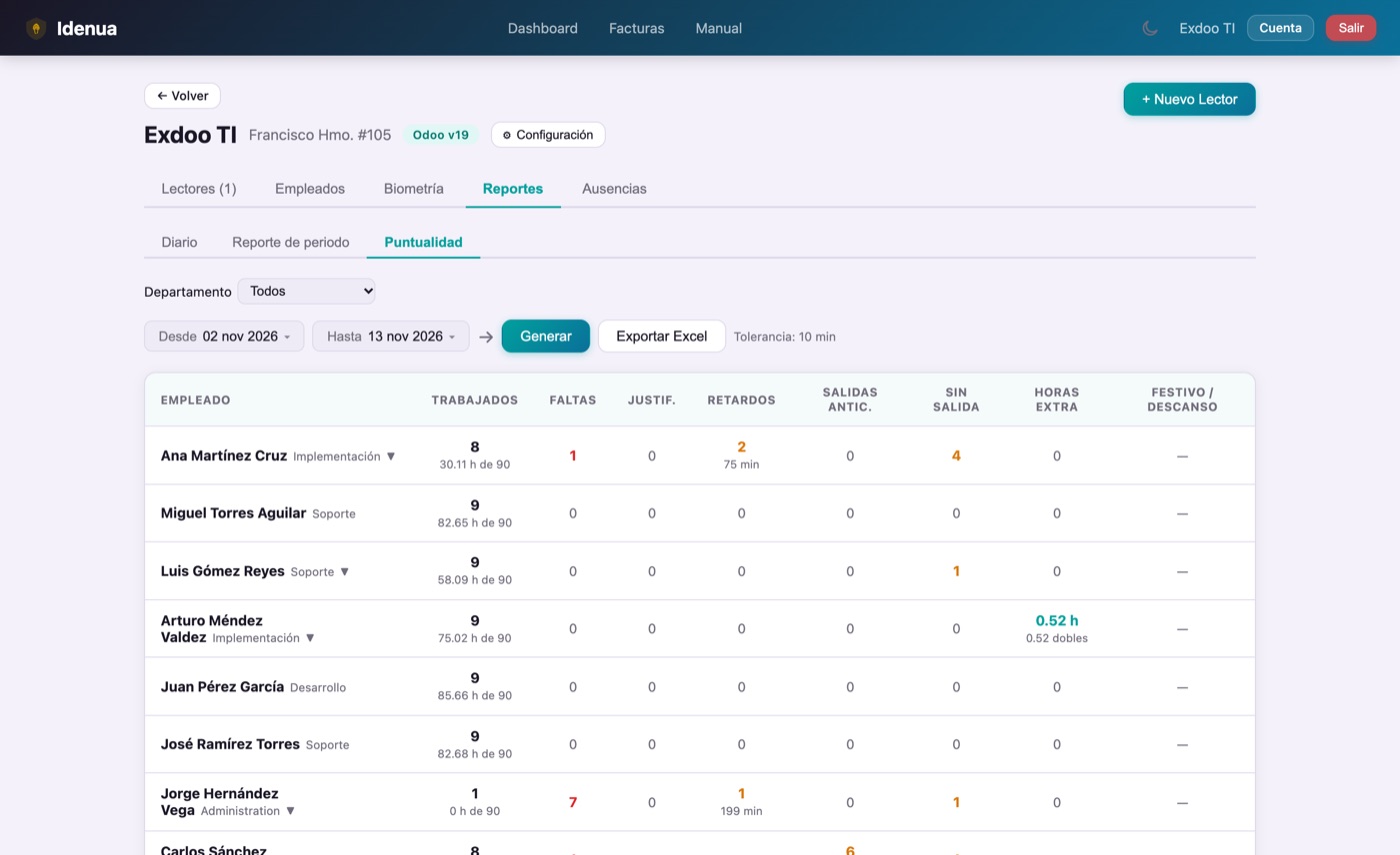
Employees, clock-ins with selfie and location, and reports on hours, punctuality and absences ready for payroll and Excel export. And if you use Odoo, everything syncs on its own.

What Odoo 20 doesn't include: Odoo lets you clock in from the browser or its app, but it doesn't confirm who clocks in, doesn't ask for a selfie and has no geofences; for that you need third-party modules. And in BioTime the mobile app is a license sold separately. With Idenua, ZKTeco clocks and app live on the same platform and work with Odoo 10 through 20. See the comparison.
Before you buy

Which time clock is right for you?

There are four ways to record attendance. The difference that matters isn't the price of the device, but whether it stops a coworker from clocking in for another and how much work it leaves for HR.

Idenua works with ZKTeco fingerprint, facial and card clocks, and with the phone app. You can combine them in the same dashboard.
Type Stops someone clocking in for another? Hardware Best for
Card or PIN time clock ✗No: cards and PINs get shared The cheapest Basic control with few staff
Fingerprint time clock ✓Yes Affordable: the best seller Offices. Struggles with rough hands, dust or cuts
Facial time clock ✓Yes, and touch-free A bit pricier than fingerprint Plants, warehouses, construction and workers with worn hands
Phone app (Idenua) ✓Yes: Face ID or phone fingerprint, selfie and GPS None: uses the employee's phone Remote work, field sales and branches without a clock

A time clock alone isn't enough

Without software, clock-ins stay on the device: someone has to pull them over USB, gather each branch's and build the report by hand. With Idenua they arrive on their own to a cloud dashboard, ready for payroll.

If you're buying one, ask for ADMS

Choose a ZKTeco clock with the ADMS feature (it appears in the menu as cloud server or Cloud Server). That way it connects straight to Idenua, with no software or server to install. Not sure which one? Ask us on WhatsApp and we'll recommend the model.

Time clocks for sale

Prefer we source it for you?

You can buy your clock on your own —any ZKTeco with ADMS works— and manage it with Idenua. But if you'd rather not hunt for one, we sell it to you already tested and ready to connect to Idenua, with power adapter and shipping included. All three are face and fingerprint; what changes is how many people they hold. Choose by the size of your staff:

MB10VLFor small teams
$2,400+ VAT
Faces100
Fingerprints500
Records50,000
CardOptional

Best for up to ~100 people

  • Face and fingerprint recognition
  • 2.8" TFT screen
  • Power adapter included · ADMS (direct to Idenua)
  • Shipping included nationwide in Mexico
Buy it
MB160IDFor medium and large teams
$2,950+ VAT
Users2,000
Faces1,500
Fingerprints2,000
Cards2,000
Records100,000

Best for up to ~2,000 people

  • Face, fingerprint and proximity card
  • 2.8" TFT screen
  • Power adapter included · ADMS (direct to Idenua)
  • Shipping included nationwide in Mexico
Buy it
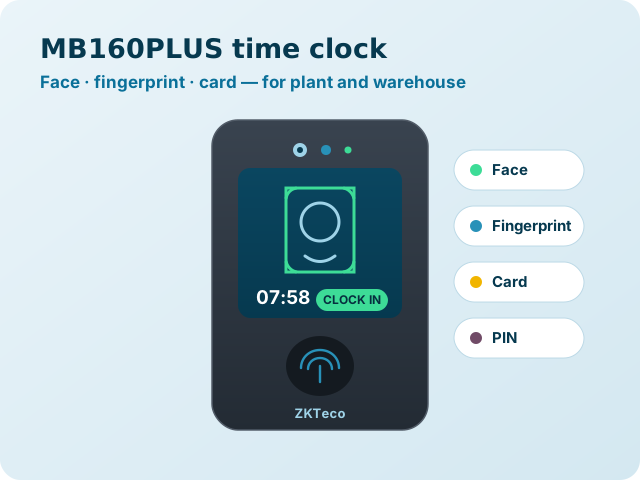
MB160PLUSThe fastest and most accurate
$3,200+ VAT
Users2,000
Faces1,500
Fingerprints2,000
Records100,000
Camera1 MP binocular

Same capacity as the MB160ID, but reads the face in under 0.35 s

  • Face, fingerprint and proximity card
  • 1 MP binocular camera + Wi-Fi (4G optional)
  • Power adapter included · ADMS (direct to Idenua)
  • Shipping included nationwide in Mexico
Buy it

Prices in Mexican pesos · 16% VAT not included · Power adapter and shipping included nationwide in Mexico · All are delivered configured and ready to connect to Idenua. Not sure which one fits? Ask us on WhatsApp and we'll tell you.

Time clocks

From the clock to your dashboard in 3 steps

1

Set up your sites

From a single dashboard you add each location: head office, plant or branches. Each site can have several ZKTeco time clocks.

2

Connect your readers

In the ZKTeco reader's menu you enter the Idenua address under the cloud server option (ADMS). Nothing is installed on any computer.

3

See the clock-ins in your dashboard

Each clock-in appears instantly in the Idenua dashboard, ready for your hours report. And if you use Odoo, the clock-in or clock-out is also created in Attendances, with no manual work.

Smart replication

A fingerprint is enrolled once. And it's on every reader at the site.

When an employee enrolls their fingerprint, photo or face on any reader, the template is replicated automatically to the rest of the readers at the same site. Everything is managed from the Idenua dashboard, without opening the manufacturer's software.

If you add a new reader tomorrow, it receives all the fingerprints, photos and faces of already-enrolled employees on its own. Zero manual re-enrollment.

The platform tracks which reader already has each template, so nothing is left behind or duplicated.

Idenua Odoo ERP optional Reader A Reader B Reader C Auto-replication
Odoo integration (optional)

Use Odoo? The clock-ins arrive on their own. Don't use it? Idenua works just the same

Idenua doesn't depend on Odoo: your employees, clock-ins and reports live in their own dashboard. But if you already work with Odoo —version 10 to 20—, clock-ins from the app or the clocks post themselves into Attendances, with no version migration or Enterprise purchase. All the detail on the connection, the time clocks and the compatible versions is on its own page.

Staff attendance tracking

Your clock-ins are also your defense

Tracking attendance isn't just about who showed up late. In Mexico, the Federal Labor Law puts the burden of proving your staff's workday on the company.

Art. 784

In a lawsuit, you prove the workday

If an employee claims overtime, the law asks the company to show how long the workday was. Without reliable records, the worker's word counts.

Art. 804

Records you can present

If you keep attendance records, you must produce them in court. Idenua keeps them in the cloud with date, time, place and selfie: they aren't lost, erased or altered.

Payroll

Late arrivals, absences and overtime with no manual entry

The hours-worked report comes from the dashboard and exports to Excel, or lands in Odoo if you use it. No more paper timesheets or hand-built spreadsheets.

General information about the Federal Labor Law, not legal advice. Consult your labor attorney for your case.

Pricing

Pay for what you use: app, clocks or both

Idenua app
$250MXN / month

per 100 employees · phone only, no hardware

Contratar app
Clocks · Monthly
$199MXN / month

up to 3 clocks · VAT not included

Contratar mensual
1 MONTH FREE Clocks · Annual
$2,189MXN / year

pay 11 months · save $199

Contratar anual
With or without Odoo (integrates with 10 to 20)
Unlimited sites
Fingerprints, photos and faces synced
Automatic replication across readers
Hours reports and Excel export
Admin dashboard
No extra licenses or servers
WhatsApp support
Additional time clock from the 4th on
+ $49 / month (or $539 / year)

Prices in Mexican pesos · 16% VAT not included · No minimum term · Cancel anytime · The app also has an annual plan ($1,650 + VAT/year) · The annual plan charges 11 months (the 12th is free).

Frequently asked questions

Common questions about Idenua and attendance tracking

Can I use the phone as a time clock?
Yes. With the Idenua app for iPhone and Android, the employee clocks in from their phone with Face ID or fingerprint, a selfie and their GPS location, within the zone you authorize. It costs $250 MXN plus VAT per month per 100 employees and you don't need to buy any clock.
Is tracking staff attendance mandatory?
The Federal Labor Law places on the company the burden of proving the length of the workday in a labor trial (article 784) and, if you keep attendance records, you must produce them (article 804). That's why it pays to keep reliable, stored records: they are the company's defense against an overtime claim. This is general information, not legal advice.
How much does Idenua cost?
The app costs $250 MXN per month plus VAT per 100 employees who clock in from their phone, and it can be purchased on its own. If you use time clocks, the base plan is $199 MXN per month plus VAT and includes up to 3 clocks; each extra clock costs $49 MXN per month. No lock-in contract.
Can I use Idenua without buying time clocks?
Yes. Many companies use the app only: the employee clocks in from their phone with Face ID, selfie and location, and you see it all in the dashboard. No hardware to buy or install.
Do I need Odoo to use Idenua?
No. Idenua works on its own: you add your employees, review the clock-ins, generate the hours-worked report and export it to Excel. And if you also use Odoo, the integration is automatic.
What if we grow and go past 100 employees on the app?
The dashboard warns you when you run out of licenses and offers to add another block of 100 employees for $250 MXN plus VAT per month. You only pay for the blocks you need.
Can remote employees clock in from their phone?
Yes. With the Idenua app for iPhone and Android, the employee records clock-in, lunch out, lunch back and clock-out from their phone. The clock-ins arrive in the same dashboard as the ZKTeco clocks, and in your Odoo if you use it. See how the app works.
How do I know the employee is who clocked in on the app, and from where?
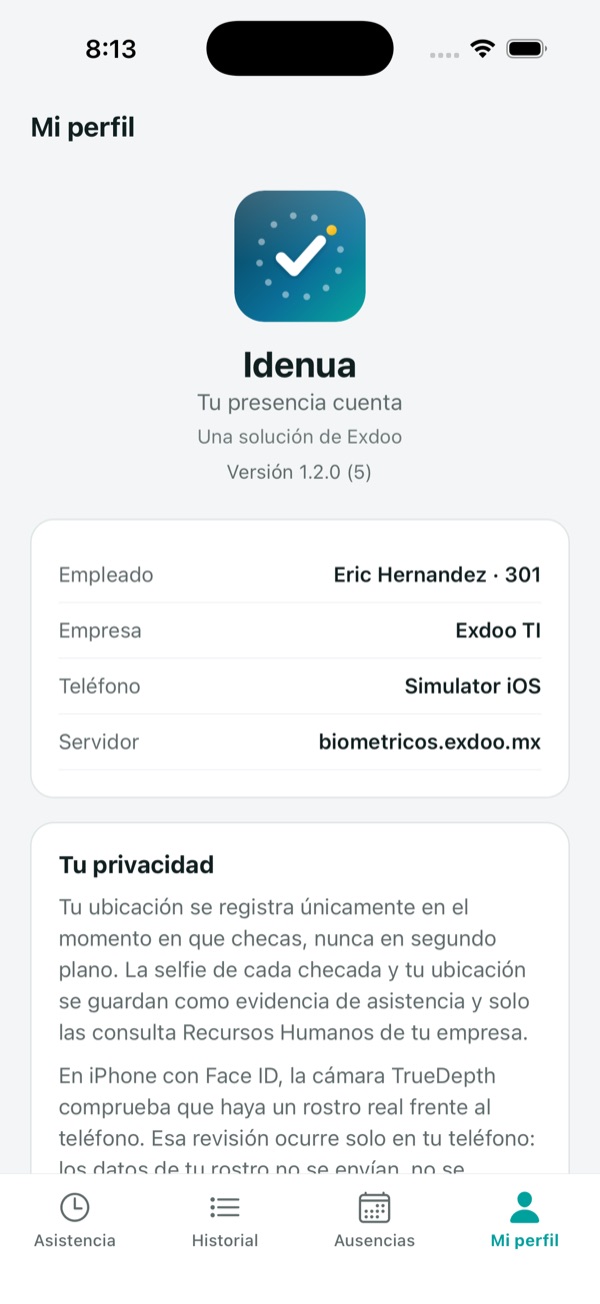
Each clock-in asks for Face ID or the phone's fingerprint, takes a a mandatory selfie and saves the GPS location. The phone is tied to the employee with a code HR generates and only one phone can be active per person. The app also detects spoofed locations.
What is a geofence and what happens if the employee clocks in outside it?
It's the allowed zone to clock in: HR marks each employee's home-office address on a map and the radius in meters. If someone clocks in outside, the clock-in is recorded flagged as out of zone with the distance, both in the dashboard and in the Odoo attendance.
Does Odoo 20 have geofences or a selfie when clocking in from the phone?
Not natively. Odoo lets you clock in from the browser or its app, but it doesn't verify who clocks in, doesn't ask for a selfie and has no geofences; those features require third-party modules. Idenua includes them and works with Odoo 10 through 20.
Start today

Start tracking attendance this week

With the app, with your time clocks or both. We help you set up your first site and get the first report ready.

Get started from $199 a month

Have questions? Book a call and we'll answer them.