NEW AIRIS · Ask your Odoo and it replies on WhatsApp, by text or voice See it →

ZKTeco time clock connected to Odoo

Your time clocks, straight into your Odoo.

Time clocks ZKTeco fingerprint and facial, that send clock-ins to your dashboard in real time —and to Odoo, version 10 through 20, with no BioTime, no Enterprise to buy and no migration. A fingerprint is enrolled once and replicates to every reader at the site.

Annual plan · Time clocks from $199 · Extra clock $49 · VAT not included

APPWorking from home? Your team clocks in with the Idenua app
Phone appFace ID · selfie · GPS
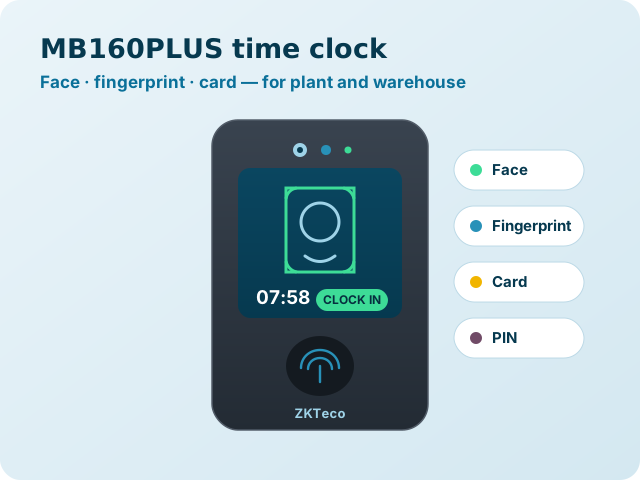
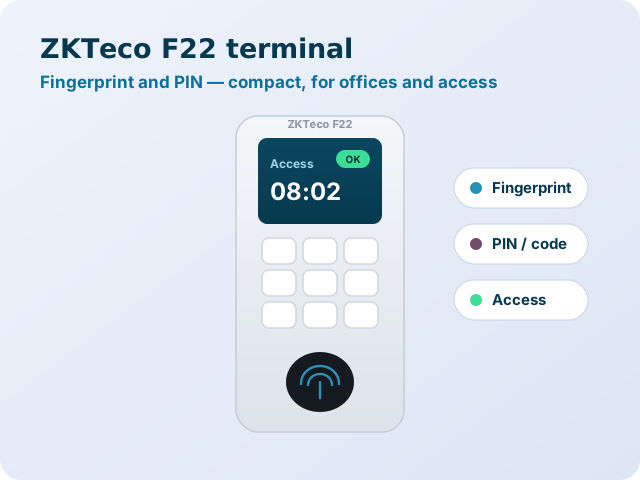
ZKTeco time clocksfingerprint · face
Reports and Excelin your dashboard
See time-clock pricing
What is Idenua?

Time clocks and app, in one dashboard

Idenua tracks your staff's attendance with ZKTeco time clocks —fingerprint and face— and with a phone app for those working outside the office, bringing it all together in one dashboard with reports and Excel export. On this page you'll see how it connects to Odoo; the full product —app, time clocks for sale and the new workday-record law— is on its own page.

See everything Idenua does →
Odoo integration (optional)

The most direct Odoo integration on the market

Idenua doesn't depend on Odoo: your employees, clock-ins and reports live in their own dashboard, biometricos.exdoo.mx. But if you already work with Odoo, the integration is the most direct on the market. Odoo 20 ships the Attendances ZKTeco BioTime module, and its own documentation makes it clear: it connects to the BioTime software, not to the readers, and it requires Odoo 20 Enterprise. Here's how they compare:

Source: Odoo's documentation on its BioTime integration and public BioTimePro prices at Mexican retailers (September 2026).
What to compare Idenua
And nothing else
Native Odoo 20
needs BioTime PRO + server + setup
How it connects ✓Straight to the ZKTeco reader over ADMS Odoo queries the BioTime server; BioTime talks to the readers
Extra license ✓None ✗Separate BioTimePro license: the smallest (5 devices, 500 employees) ~$10,500 to $13,600 MXN, lifetime and tied to one server
Server ✓Not needed: it runs on Exdoo's cloud ✗Your own server with BioTimePro installed, always on and reachable from Odoo
Odoo versions ✓10 through 20 Odoo 20 only
Odoo edition ✓Community and Enterprise Enterprise
When clock-ins arrive ✓In real time Every 12 hours, or when you press “Fetch”
Adding employees ✓Created in Odoo and pushed to the readers on their own Added in BioTime and the “ZKTeco employee ID” is entered on each Odoo employee
Fingerprints and faces ✓Enrolled once and replicated to every reader at the site Managed in BioTime, outside Odoo
From clock-in to attendance ✓Automatic, no intervention They arrive as “transactions” to be processed; failed ones are fixed and reprocessed by hand
Clocking in from the phone (remote work) ✓Idenua: an app for iPhone and Android with Face ID, selfie and GPS ✗BioTime's mobile app is a separate license; Odoo lets you clock in from the browser without verifying who clocks in
Geofences and fake GPS ✓Geofence per employee and spoofed-location detection ✗Not included; requires third-party modules
Monthly payment From $199 MXN + VAT (3 readers) No monthly fee for the connector (included in Enterprise)
To be fair: if your company is already on Odoo 20 Enterprise, already paid for BioTime, has its server running and is fine seeing clock-ins twice a day, the official integration works for you. For every other case —Odoo 10 to 19, Community, no BioTime, several branches, or anyone who needs attendance in real time— Idenua is faster to set up and cheaper. As an Odoo Gold Partner, we help you choose the right option.
Real cost

What it costs to get clock-ins into Odoo

Example: a company with 3 ZKTeco time clocks currently running any Odoo version from 10 to 19.

Native Odoo 20 path

Odoo's native integration, needs BioTime PRO

  • BioTimePro Starter license (5 devices, 500 employees) $10,500–$13,600
  • Server to run BioTimePro and its upkeep Separate
  • BioTime mobile-app license, if you want it Separate
  • Migrate your database to Odoo 20 Separate
  • Odoo Enterprise subscription Required
  • Add your employees in BioTime and enter their ID Separate
Before the first clock-infrom ~$10,500 MXNthe smallest license, 5 devices and 500 employees, plus the server and the Odoo 20 migration

Idenua

Straight from the reader to Odoo

  • Monthly with 3 readers $199 + IVA
  • BioTime license $0
  • Server $0
  • Version migration Not needed
  • Odoo Community or Enterprise Both
First year$2,388 MXN + VATNo separate licenses, no server and no Odoo migration

Public BioTimePro prices at Mexican retailers (September 2026). They may vary by distributor and edition. Still want to upgrade your Odoo? See our Odoo migration.

Compatible versions

On Odoo 10 to 19? No migration needed

The official integration only exists in Odoo 20. With Idenua you connect your time clock today, on the version you already run, and when you decide to upgrade your Odoo the connection goes with you.

IdenuaCommunity and Enterpriseall 11 versions
1011121314151617181920
Odoo's official integrationEnterprise only, with BioTime20 only
1011121314151617181920

Idenua works on all 11 versions, so you connect your clocks today without migrating. The integration Odoo ships only exists in 20 Enterprise and needs BioTime.

Frequently asked questions

Questions about time clocks and Odoo

What is a time clock and how does it work?
It's the device staff use to record their clock-in and clock-out: by fingerprint, face, card or PIN. Each clock-in is saved with date and time. On its own, the clock stores the records in its memory; connected to Idenua, the clock-ins arrive instantly to a cloud dashboard, with hours reports and Excel export.
Which time clock is best: fingerprint, facial or card?
The card one is the cheapest, but cards get shared. The fingerprint one is the most common and stops someone clocking in for another, though it struggles with rough or dusty hands. The facial one is touch-free and works best in plants, warehouses and construction. For remote or field staff, the phone app avoids buying hardware. See the comparison.
Does Odoo 20 already connect to ZKTeco time clocks?
Yes, through the Attendances ZKTeco BioTimemodule. That module is set up with the address and credentials of a BioTime server: it connects to the BioTime software, not to the ZKTeco readers, so it needs a BioTime license, the server or cloud to install it on, and Odoo 20 Enterprise. Clock-ins are imported every 12 hours. Idenua connects straight to the readers over ADMS, in real time and with no BioTime. See the full comparison.
Do I need BioTime or ZKBioAccess to use Idenua?
No. ZKTeco readers connect straight to Idenua over the ADMS protocol: clock-ins reach your dashboard —and your Odoo if you use it— with no middleware or local server.
Do I have to migrate to Odoo 20 to connect my ZKTeco clock?
No. Idenua works with every Odoo version from 10 to 20, Community and Enterprise. Odoo's official integration only exists from Odoo 20 on. If you'd like to upgrade anyway, we help you with the Odoo migration.
How much does the BioTime license cost?
The Odoo module connects to BioTimePro, which installs on a server and is paid as a lifetime license, in tiers of devices and employees. The smallest is the Starter (5 devices and 500 employees), which sells at Mexican retailers for between ~$10,500 and ~$13,600 MXN; editions for more devices and employees run past $50,000. The license activates on a single server and isn't transferable, the BioTime mobile app is sold separately, and on top of all that there's the server it runs on. With Idenua you need no BioTime license at all: the clocks connect directly.
Does it work with Odoo Community and Enterprise?
Yes. Clock-ins are recorded in Odoo's Attendances app, available in both Community and Enterprise.
Which ZKTeco time clocks are compatible?
ZKTeco readers with the ADMS feature, which appears in the device menu as the cloud server setting (Cloud Server). It covers fingerprint, facial and card readers. If you're unsure about your model, send it to us on WhatsApp and we'll check it.
What happens if the reader loses internet?
The reader stores the clock-ins in its memory and sends them when the connection comes back, so no records are lost.
Start today

Start tracking attendance this week

With the app, with your time clocks or both. We help you set up your first site and get the first report ready.

Get started from $199 a month

Have questions? Book a call and we'll answer them.